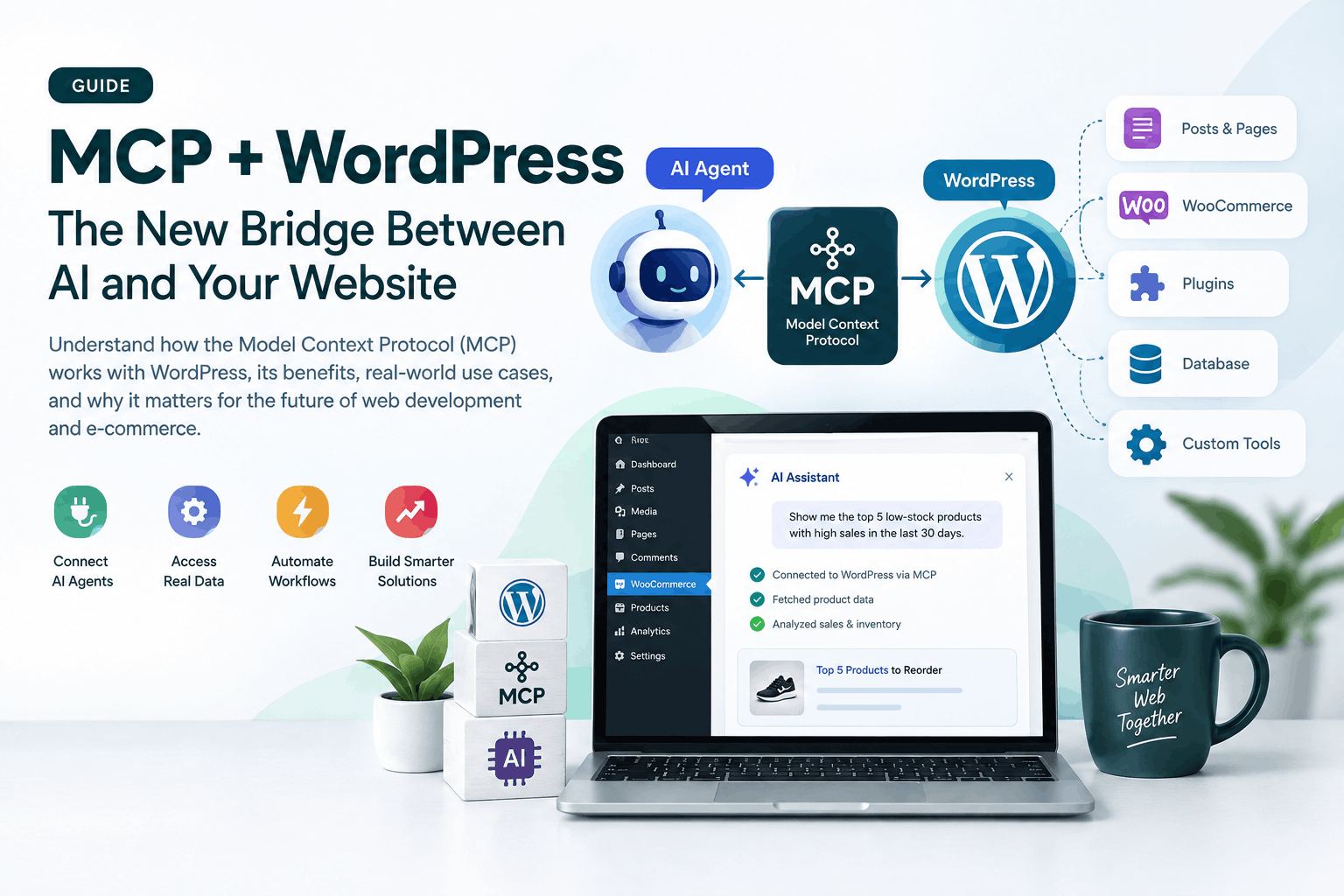
Model Context Protocol (MCP) is becoming one of the most important pieces of infrastructure in the AI ecosystem.
But there is a common misunderstanding:
MCP is not an AI model. It is a standard way for AI applications and agents to connect to external systems and use their capabilities.
For WordPress developers, plugin developers, agencies, and WooCommerce professionals, this distinction matters.
WordPress 6.9 introduced the Abilities API, and the official WordPress MCP Adapter now provides a standardized bridge between those abilities and AI agents. (WordPress Developer Resources)
That means WordPress is moving from:
AI can give me instructions → I manually execute them
toward:
AI understands what my WordPress site can do → AI can safely request those actions.
And that is a significant change.
What Exactly Is MCP?
Imagine you have an AI assistant.
Normally, the AI knows things from its model and the information you provide to it.
But it doesn’t automatically have access to your:
- WordPress database
- WooCommerce orders
- Products
- Customers
- Posts
- Plugin functionality
- Analytics
- Internal business systems
You could build a custom integration for every AI application.
But that creates a huge problem.
Without MCP
You might have:
AI → Custom WordPress API
AI → Custom Shopify API
AI → Custom CRM API
AI → Custom database integration
AI → Custom accounting integration
Every AI application needs to understand every system separately.
With MCP
The idea becomes:
AI Agent → MCP → WordPress
AI Agent → MCP → CRM
AI Agent → MCP → Database
AI Agent → MCP → Other Business Systems
MCP provides a common protocol for these interactions.
The latest MCP specification continues to evolve toward becoming a standardized infrastructure layer for agentic workflows. (Model Context Protocol Blog)
So How Does MCP Work With WordPress?
This is where WordPress’s Abilities API becomes extremely important.
WordPress 6.9 introduced the Abilities API as a standardized way to register discrete pieces of functionality with defined inputs, outputs and permissions. (WordPress Developer Resources)
Think of an Ability as a clearly defined capability:
“Get my site information.”
or:
“Find my low-stock products.”
or:
“Create a draft post.”
or:
“Update this product.”
Instead of AI having to understand your entire WordPress codebase, you expose specific capabilities.
The architecture looks roughly like this:
                 AI Agent
                    │
                    ▼
              MCP Protocol
                    │
                    ▼
            WordPress MCP
                Adapter
                    │
                    ▼
           WordPress Abilities
                    │
        ┌───────────┼───────────┐
        ▼           ▼           ▼
      Posts      WooCommerce   Plugins
        │           │           │
        ▼           ▼           ▼
      Content     Products    Custom Logic
The official WordPress MCP Adapter bridges the Abilities API with MCP and can expose WordPress functionality as MCP tools, resources and prompts. (GitHub)
MCP Has Three Important Concepts
1. Tools
Tools perform actions.
For example:
“Create a WooCommerce product.”
The AI can discover the appropriate tool, provide the required inputs, and request execution.
Tools are therefore the most interesting part for agentic WordPress automation.
2. Resources
Resources provide information that an AI can read as context.
For example:
Product information
Documentation
Site configuration
Business data
The AI can use this information to make better decisions.
3. Prompts
Prompts are reusable instructions or workflows designed to guide an AI interaction.
Together, these primitives give AI applications a standardized way to discover and interact with external systems. (WordPress Developer Resources)
A Real-Life WooCommerce Example
Let’s say you run a WooCommerce store with 5,000 products.
Every morning, you normally check:
- Which products are low in stock?
- Which products haven’t sold?
- Which products generated the most revenue?
- Which orders failed?
- Which products have unusual sales drops?
Normally, someone has to log into WooCommerce, navigate through several screens, export data and analyze it.
Now imagine asking your AI assistant:
“Check my WooCommerce store and give me the 10 products that are low in stock but have had strong sales during the last 30 days.”
The workflow could become:
You
 ↓
AI Agent
 ↓
MCP
 ↓
WooCommerce / WordPress
 ↓
Retrieve inventory + sales data
 ↓
Analyze the data
 ↓
AI explains the result
You could then ask:
“Which three should I reorder first?”
And potentially:
“Prepare a draft purchase list.”
The important point is that the AI isn’t simply guessing based on your prompt.
It can work with actual site data when the appropriate abilities and permissions are exposed.
WooCommerce has already been exploring MCP-based workflows around products, orders and store management. (WooCommerce)
Another Example: Content Management
Imagine you’re running a news website.
You tell your AI:
“Find the five articles published this week with the lowest engagement and create improvement suggestions.”
The agent could potentially:
- Retrieve the relevant posts.
- Read their content.
- Analyze available metrics.
- Compare titles and structures.
- Generate recommendations.
- Create draft revisions.
And with carefully designed abilities, it could potentially perform selected WordPress actions.
This is very different from simply asking ChatGPT:
“How can I improve my WordPress articles?”
The second question gives the AI generic knowledge.
The first gives it access to your actual system and data.
That is the difference MCP can create.
What About Plugin Developers?
This is where I think MCP becomes particularly interesting.
Imagine you develop a WordPress plugin.
Your plugin already has functionality such as:
Create something
Get something
Update something
Run a diagnostic
Generate a report
Manage a setting
Traditionally, you might expose these capabilities through:
- PHP functions
- Hooks
- REST API
- Admin UI
- JavaScript
The Abilities API gives developers a standardized way to describe and expose functionality.
Then the MCP Adapter can make appropriate abilities available to MCP clients. (WordPress Developer Resources)
This creates an interesting development model:
Build the capability once → expose it to multiple contexts.
For example:
                Your Plugin
                     │
               Ability API
                     │
       ┌─────────────┼─────────────┐
       ▼             ▼             ▼
   WordPress       REST          MCP
    Admin                         │
                                  ▼
                              AI Agent
WordPress’s own developer guidance describes this as a composable architecture where abilities can be used by different parts of the WordPress ecosystem and AI agents. (WordPress Developer Resources)
MCP Doesn’t Mean “Give AI Full Admin Access”
This is one of the most important points.
You should never think of MCP as:
“Connect AI to WordPress and let it do everything.”
That’s dangerous.
A properly designed system should expose specific capabilities with explicit permissions.
The WordPress MCP Adapter uses an opt-in model: abilities are not automatically exposed to MCP, and permission checks still apply when an ability is executed. (GitHub)
For example, you might allow an AI agent to:
✅ Read products
✅ Read orders
✅ Check inventory
✅ Create drafts
But not:
❌ Delete products
❌ Delete customers
❌ Change payment settings
❌ Modify administrator accounts
This is where good software engineering matters.
AI capability without permission architecture is a security problem.
MCP vs REST API
A common question is:
“We already have the WordPress REST API. Why do we need MCP?”
Because they solve different problems.
REST API
REST essentially says:
“Here are endpoints that applications can call.”
For example:
GET /wp-json/wp/v2/postsA developer needs to understand the API.
MCP
MCP adds a standardized interaction layer designed for AI applications and agents.
Instead of an AI developer building a custom integration for every system, an MCP-compatible client can discover available tools and understand their schemas.
So I wouldn’t describe MCP as a replacement for REST.
I’d describe it as:
A standardized AI-facing protocol that can sit above or alongside existing application capabilities.
Why Should WordPress Developers Care?
Because the role of the website is changing.
For years, we built websites primarily for:
Humans → Browser → Website
Now we’re increasingly building systems that can also participate in:
AI Agent → Website
That creates a new requirement.
Your website doesn’t just need to be visually accessible.
Its capabilities need to be machine-discoverable and safely executable.
This is especially important for WordPress because the ecosystem contains enormous amounts of functionality inside plugins, themes and custom code.
The Abilities API is intended to provide a standardized, discoverable way for those capabilities to be exposed. (WordPress Developer Resources)
Why This Matters for WooCommerce
For WooCommerce professionals, the possibilities are even more interesting.
Imagine an AI operations assistant that can help with:
Inventory
“Show me products likely to go out of stock this week.”
Orders
“Find orders that haven’t been fulfilled after three days.”
Customer service
“Summarize today’s customer complaints.”
Products
“Find products with incomplete descriptions.”
Marketing
“Identify products with high traffic but low conversion.”
Reporting
“Give me a summary of yesterday’s sales and unusual changes.”
Content
“Find products without optimized descriptions and prepare drafts.”
The goal isn’t to replace WooCommerce.
The goal is to make WooCommerce operable through intelligent interfaces.
WooCommerce itself is already documenting MCP-based use cases for store management. (WooCommerce)
MCP Could Change WordPress Plugin Development
This is probably the part I find most interesting as a WordPress developer.
Today, plugin developers often think:
“What feature should I add to my admin dashboard?”
Tomorrow, we may increasingly ask:
“What capability should my plugin expose to humans, applications and AI agents?”
That is a different design philosophy.
Instead of building a feature only for a button in wp-admin, you build a reusable capability.
For example:
Ability:
wholesalex/get-low-stock-products
It could potentially be consumed by:
- WordPress admin UI
- REST API
- JavaScript
- Automation
- AI agent
- MCP client
This is the direction WordPress’s current AI building blocks are pointing toward. (WordPress Developer Resources)
Is MCP Going to Replace WordPress Developers?
No.
But it may change what valuable WordPress development looks like.
I don’t think the future is:
AI replaces every WordPress developer.
I think the more realistic future is:
Developers who understand AI + APIs + automation + WordPress architecture will have an advantage over developers who only know how to build traditional UI features.
The valuable skill becomes understanding:
Business requirement → capability → API/Ability → permissions → AI interaction → reliable execution
That requires engineering judgment.
Why You Should Learn MCP Now
You don’t necessarily need to become an MCP protocol expert tomorrow.
But if you’re a:
- WordPress developer
- Plugin developer
- WooCommerce developer
- Technical support engineer
- Agency owner
- E-commerce consultant
- SaaS developer
you should understand the fundamentals.
Because MCP sits at the intersection of several trends:
AI Agents + APIs + Automation + WordPress + Business Systems
And WordPress is already building official infrastructure around this direction.
The official MCP Adapter is currently an active WordPress project, while the older Automattic wordpress-mcp repository has been archived in favor of the official adapter. (GitHub)
Where WordPress MCP Is Heading
We’re still relatively early.
The current WordPress ecosystem is already combining:
Abilities API
↓
MCP Adapter
↓
AI Agents
And WordPress is also developing other AI building blocks, including an AI Client designed to interact with different AI providers. (WordPress Developer Resources)
The really interesting future isn’t simply:
“AI can edit my WordPress website.”
It is:
“AI agents can understand my website’s capabilities, combine them into workflows, use real business data, and execute carefully controlled actions.”
That’s a much bigger idea.
My Take After Looking at This as a Software Engineer
I would not call MCP another AI trend that developers can safely ignore.
I would classify it as infrastructure for the agentic software era.
REST APIs helped applications communicate with applications.
MCP is helping AI applications communicate with capabilities.
And WordPress is beginning to make its enormous ecosystem of functionality accessible through standardized Abilities.
That’s why I think WordPress developers should start learning it now—not because every website needs MCP today, but because the architecture of software interaction is changing.
The developers who understand that change early will be better positioned to build the next generation of WordPress plugins, WooCommerce systems and e-commerce automation.
A Simple Mental Model
If you remember only one thing from this article, remember this:
WordPress Ability = What WordPress can do
MCP = A standard way AI can discover and interact with capabilities
AI Agent = The system deciding when and how to use those capabilities
Put them together:
WordPress + Abilities + MCP + AI Agents = AI-operable WordPress
And that’s where things get really interesting.
Useful starting points
- WordPress MCP Adapter — official GitHub repository
- WordPress Abilities API documentation
- WordPress Developer: From Abilities to AI Agents
- WooCommerce MCP overview
- Model Context Protocol specification
One final thought: If you’re a WordPress plugin developer, I would start asking a new question when designing every major feature:
“Could this functionality become an Ability that an AI agent can safely use?”
That question alone can change how you architect your next plugin. (WordPress Developer Resources)