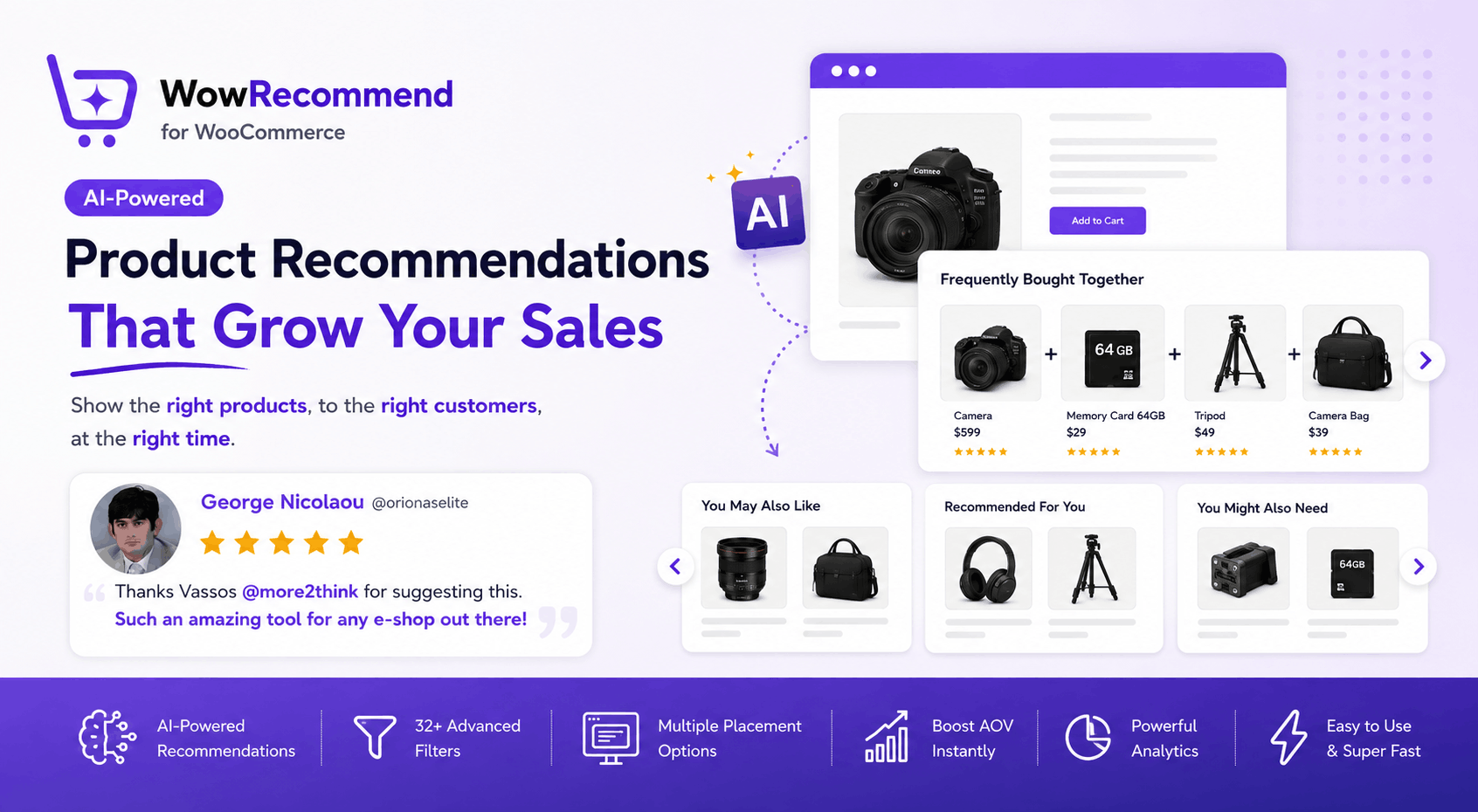
Absolutely. For an article/blog post, I’d make it less like a product advertisement and more like an educational article that naturally demonstrates why WowRecommend is useful. The review can then act as social proof rather than being the entire focus.
Below is a ready-to-publish article with specific image placement instructions based on the promotional/review image you created.
Turn Your WooCommerce Store Into a Smarter Shopping Experience
Running a WooCommerce store isn’t only about adding great products to your catalog. The bigger challenge is helping customers discover the products they actually need.
A customer might visit your store looking for a laptop but also need a mouse, keyboard, laptop stand, or carrying bag. Another customer buying running shoes might be interested in socks, a sports bottle, or fitness accessories.
The problem is simple:
How do you show the right products without making customers search through your entire catalog?
That’s where WowRecommend comes in.
WowRecommend is an AI-powered product recommendation plugin for WooCommerce that helps store owners create targeted product recommendations using advanced filters, smart sorting, multiple placement options, customer behavior, product relationships, and AI-assisted rule building. (WPXPO)


Why Product Recommendations Matter
Imagine a customer visits your store and finds the product they’re looking for.
That’s good.
But what if you could also show them:
- Products that complement their purchase
- Products frequently purchased together
- Similar products
- Best-selling products
- Higher-value alternatives
- Products based on their previous behavior
Now you’re helping the customer shop, rather than simply providing a product catalog.
Relevant recommendations can improve product discovery and create additional opportunities for cross-selling and upselling. WowRecommend is designed specifically around this process. (WPXPO)
For example:
Customer views a camera → Recommend memory cards, tripods, lenses, and camera bags.
Customer views running shoes → Recommend socks, sports bottles, and fitness accessories.
Customer adds a laptop to the cart → Recommend a mouse, keyboard, laptop stand, or docking station.
The goal isn’t to show more products.
The goal is to show more relevant products.
AI-Powered Product Recommendations
One of the most useful features of WowRecommend is its AI-powered recommendation rule building.
Instead of manually configuring every condition, you can describe what you want in natural language.
For example:
“Recommend best-selling laptop accessories under $50 and exclude out-of-stock products.”
WowRecommend can interpret the request and help create the appropriate recommendation rule. You can then review and refine the generated filters, sorting, and placement before publishing. (WPXPO)
This is particularly useful when you want to create more complex recommendation strategies without manually configuring every condition.
You can even refine a rule with additional instructions such as:
- Exclude products below 4-star ratings.
- Only show products currently in stock.
- Prioritize products between $30 and $80.
- Show the highest-rated products first.
That means creating and adjusting recommendation strategies can be much faster.
32+ Advanced Recommendation Filters
Every WooCommerce store has different products, customers, and business goals.
That’s why a basic “related products” feature isn’t always enough.
WowRecommend provides a wide range of recommendation filters covering areas such as:
Product-Based Recommendations
Recommend products based on attributes such as:
- Categories
- Tags
- Brands
- Product relationships
- Specific products
- Product characteristics
Sales & Performance
You can use sales and performance data to promote products such as:
- Best sellers
- Popular products
- High-converting products
- Recently performing products
Customer Behavior
You can also create recommendations based on customer-related behavior and activity.
Product Relationships
This is particularly useful for cross-selling.
For example:
Camera → Camera Bag → Memory Card → Tripod
or:
Laptop → Mouse → Keyboard → Laptop Stand
WowRecommend groups its recommendation logic into product, sales/performance, customer behavior, and product relationship filters, giving store owners much more control over what appears in recommendation sections. (WPXPO)
Show Recommendations Where They Matter
A recommendation is only useful if customers actually see it.
WowRecommend lets you select different target pages and placements for your recommendations, including areas such as:
- Product Page
- Shop Page
- Product Archive
- Cart
- Checkout
- Thank You Page
You can configure different recommendations for different stages of the shopping journey. (WPXPO)
For example:
Product Page
You May Also Like
Show similar or complementary products.
Cart
Complete Your Order
Show products that naturally complement what’s already in the cart.
Checkout
You Might Also Need
Show carefully selected additional products.
Thank You Page
Recommended for Your Next Purchase
Introduce products that encourage customers to return.
This makes recommendation strategy much more flexible than simply adding one generic “Related Products” section to every page.
Smart Product Sorting
Selecting the right products is only part of the job.
You also need to decide which products appear first.
WowRecommend provides sorting options such as:
- Popularity
- Conversion
- Freshness
- Price
- Rating
You can configure sorting direction and use multiple sorting rules when you need more control over the final product order. (WPXPO)
For example:
Recommend laptop accessories → exclude out-of-stock products → prioritize highest-rated products → show the most popular first.
This gives store owners control over both what gets recommended and how those recommendations are prioritized.
Recommendations for Different Types of WooCommerce Stores
WowRecommend isn’t limited to one type of ecommerce business.
Fashion Stores
Recommend:
- Matching accessories
- Similar products
- Best-selling items
- New arrivals
- Complementary clothing
Example:
Customer views a dress → recommend shoes, handbags, and accessories.
Electronics Stores
Electronics stores are particularly suitable for product recommendations because many products have natural complementary products.
Example:
Laptop → Mouse → Keyboard → Laptop Stand → USB Hub
Instead of expecting customers to search for each accessory, you can introduce relevant products during their shopping journey.
Sports & Fitness Stores
Example:
Running Shoes → Sports Socks → Water Bottle → Fitness Watch
Recommendations can help customers discover products they may not have originally planned to purchase.
Beauty & Cosmetics Stores
Example:
Face Serum → Cleanser → Moisturizer → Sunscreen
Complementary-product recommendations can create a more complete shopping experience.
Grocery Stores
Example:
Pasta → Pasta Sauce → Parmesan → Garlic Bread
The recommendation isn’t necessarily about finding a more expensive product.
It’s about helping the customer find what they need next.
Create Seasonal and Time-Based Recommendations
Not every recommendation needs to run permanently.
For example, you might want to promote:
- Christmas products
- Black Friday products
- Valentine’s Day gifts
- Summer collections
- Back-to-school products
- New product launches
WowRecommend includes scheduling controls that allow recommendations to start immediately or at a specified date and optionally end automatically. (WPXPO)
This means you can prepare seasonal recommendation campaigns in advance instead of manually switching them on and off.
Design Recommendations That Match Your Store
Recommendation widgets shouldn’t look like they were added by a third-party plugin.
WowRecommend provides layout and display controls so you can configure things such as:
- Number of products
- Products per row
- Desktop/tablet/mobile display
- Heading alignment
- Product images
- Product titles
- Ratings
- Prices
- Add to Cart buttons
- Layout style
You can also preview your recommendation before publishing it. (WPXPO)
Measure What Actually Works
Adding recommendations is only the beginning.
The important question is:
Are customers actually interacting with them?
WowRecommend provides analytics for recommendation performance, including:
- Add to Cart
- Total Orders
- Average Order Value
- Conversion Rate
This helps store owners understand whether their recommendation strategy is contributing to actual store performance. (WPXPO)
Instead of guessing which recommendation works, you can use performance data to make better decisions.
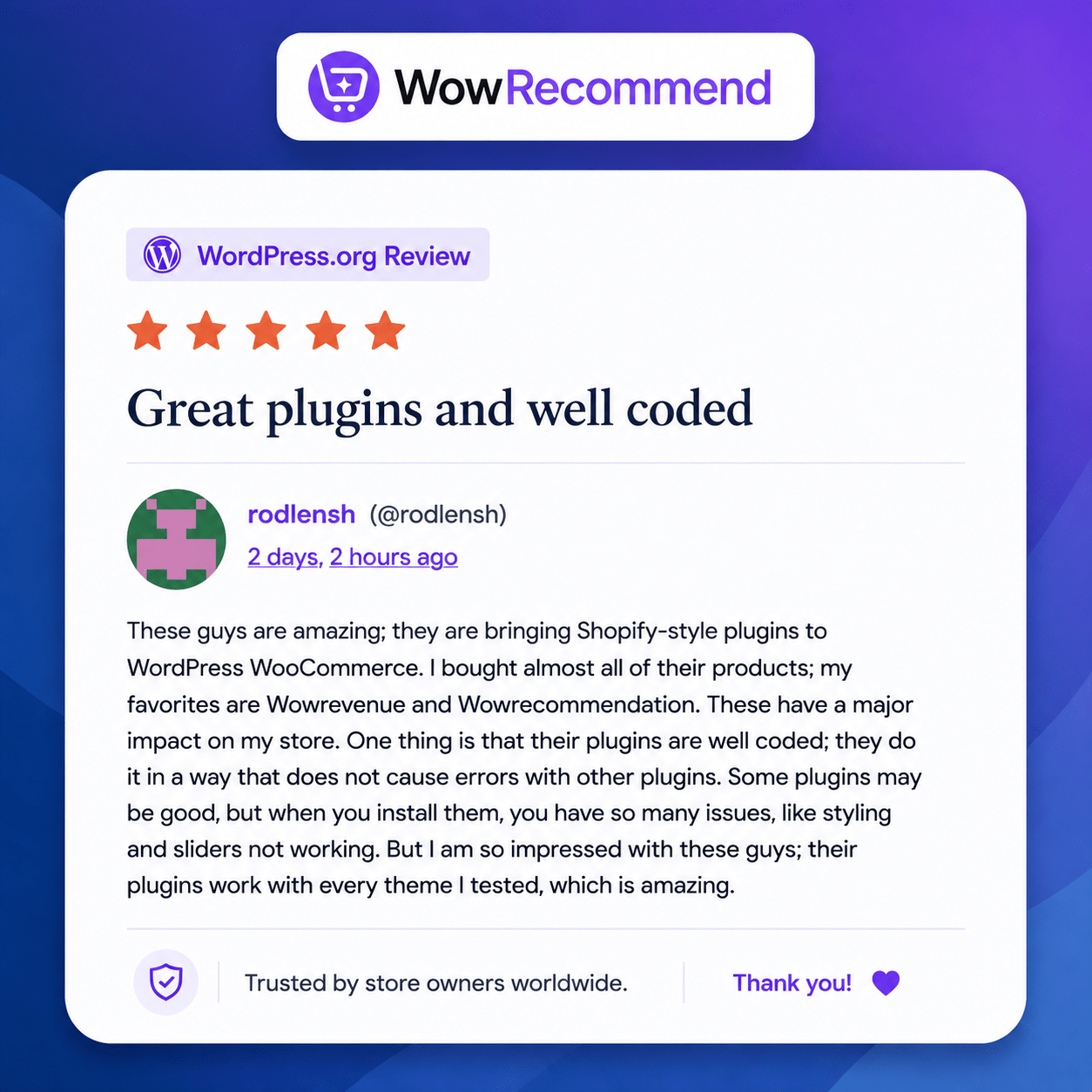
A Real WordPress Community Reaction
And the best part?
We’re already seeing positive feedback from WooCommerce users.
A recent WordPress reviewer shared:
“Such an amazing tool for any e-shop out there!”
That’s exactly the idea behind WowRecommend.
Whether you’re running a small WooCommerce store or managing a large product catalog, the goal is to make product discovery easier and help customers find something relevant at every stage of their journey.
WowRecommend Isn’t Just Another Related Products Plugin
Traditional WooCommerce recommendations can be fairly basic.
WowRecommend takes a broader approach.
It combines:
AI Rule Building
+
Advanced Filters
+
Customer & Product Data
+
Smart Sorting
+
Multiple Placements
+
Scheduling
+
Analytics
The result is a recommendation system that gives store owners control over what products are recommended, who sees them, where they appear, and how they are prioritized. (WPXPO)
Ready to Make Your WooCommerce Store Smarter?
Your customers shouldn’t have to search through hundreds of products to find what they need.
Give them a little help.
Show them:
The right product.
At the right time.
In the right place.
With WowRecommend, you can build smarter WooCommerce product recommendations without building a recommendation engine from scratch.


Start recommending smarter products today.
Suggested Article Image Structure
For the actual blog post, I recommend not putting images after every paragraph. Use them strategically:
| Article Section | Image |
|---|---|
| Hero / Introduction | WowRecommend product UI or a clean product recommendation visual |
| AI-Powered Recommendations | AI Rule Builder screenshot |
| 32+ Advanced Filters | Recommendation filter screenshot |
| Multiple Placements | Product/Cart/Checkout recommendation screenshot |
| Smart Product Sorting | Sorting settings screenshot |
| Store Use Cases | Product recommendation example |
| Real WordPress Community Reaction | Your 5-star review graphic |
| Final CTA | Clean WowRecommend product/brand graphic |